Your Agent, Always Within Reach
Snippbot's native mobile app will bring the full power of your AI agent to iOS and Android. Real-time streaming conversations, voice interaction, biometric security, and offline-first architecture — built with React Native and Expo so your agent travels with you. No compromises on capability. No compromises on privacy.
The mobile app is an upcoming release — it's in active development and not yet available to download. Follow the roadmap for availability.
Native experience
Security gate
Voice providers
Messaging channels
Not a web view — a native experience
Most AI mobile apps are thin wrappers around web interfaces. Snippbot's mobile app will be a purpose-built React Native application on Expo SDK 52 with New Architecture enabled. It uses a 5-tab native navigation layout, platform-specific UI components, NativeWind for the Aurora design system, and direct hardware integration for camera, biometrics, and sensors. The result is an experience that feels like it belongs on your device, not one transplanted from a browser.
Built for the Palm of Your Hand
Five dedicated screens, each designed for a specific workflow — from real-time chat to system monitoring.
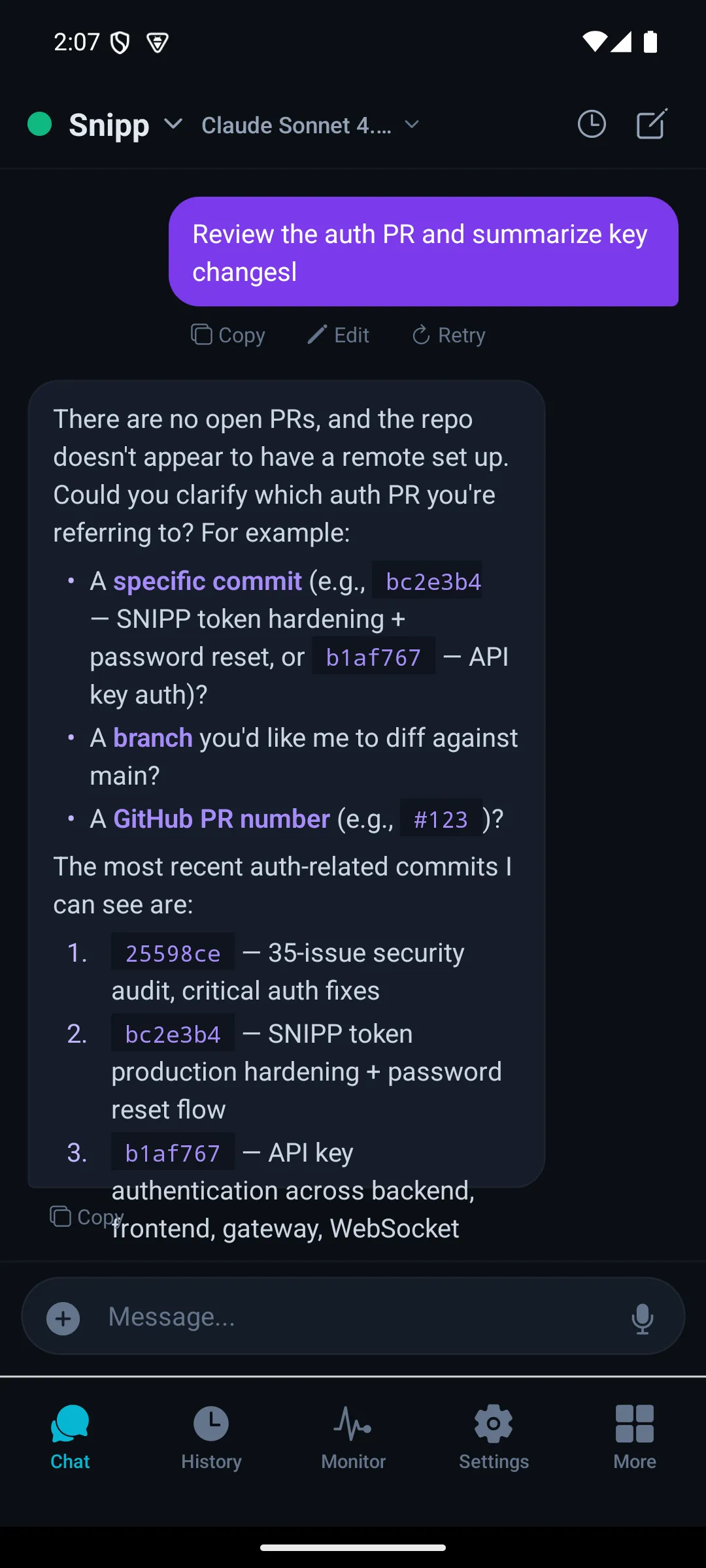
Chat
Real-time streaming with tool activity
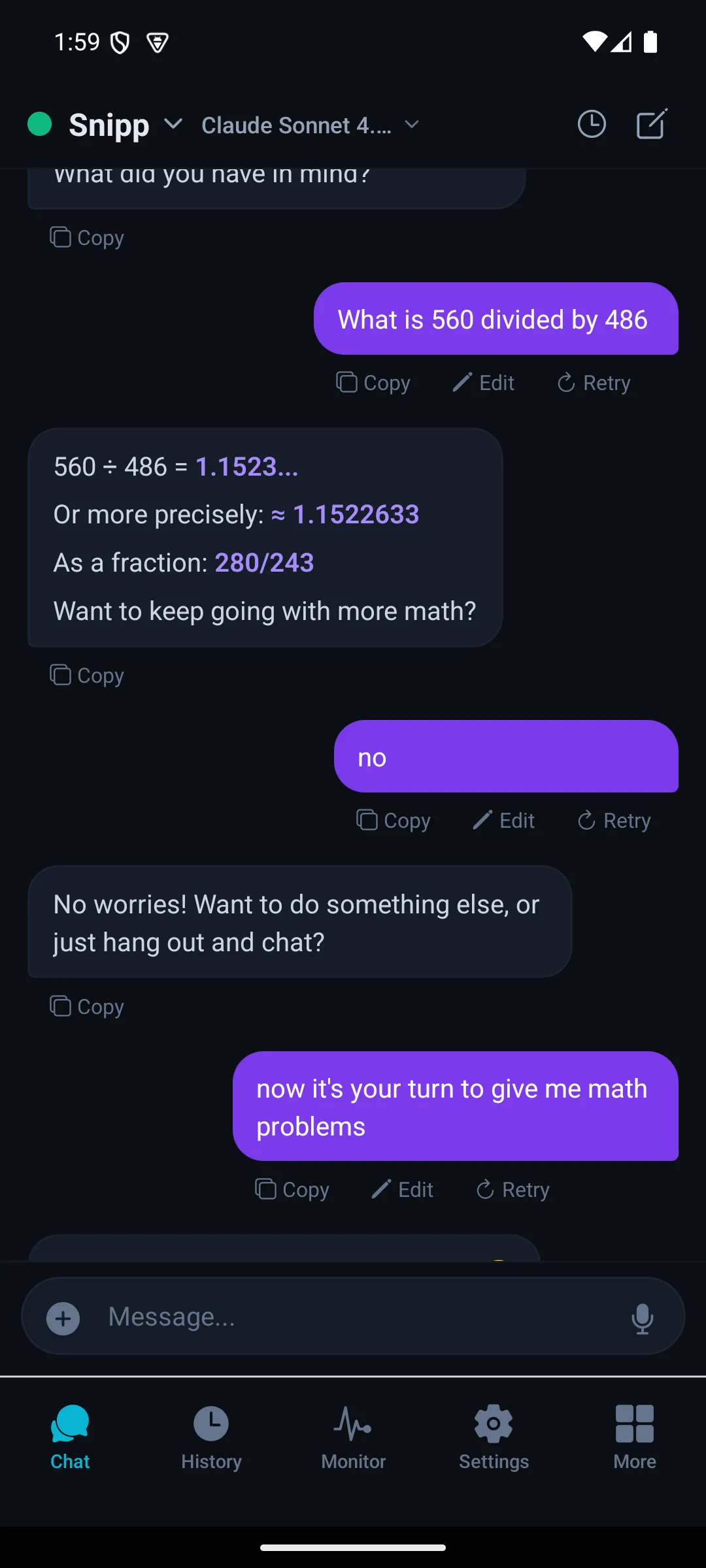
History
Full conversation archive with search
Monitor
Token usage and system health
Settings
Agent configuration and preferences
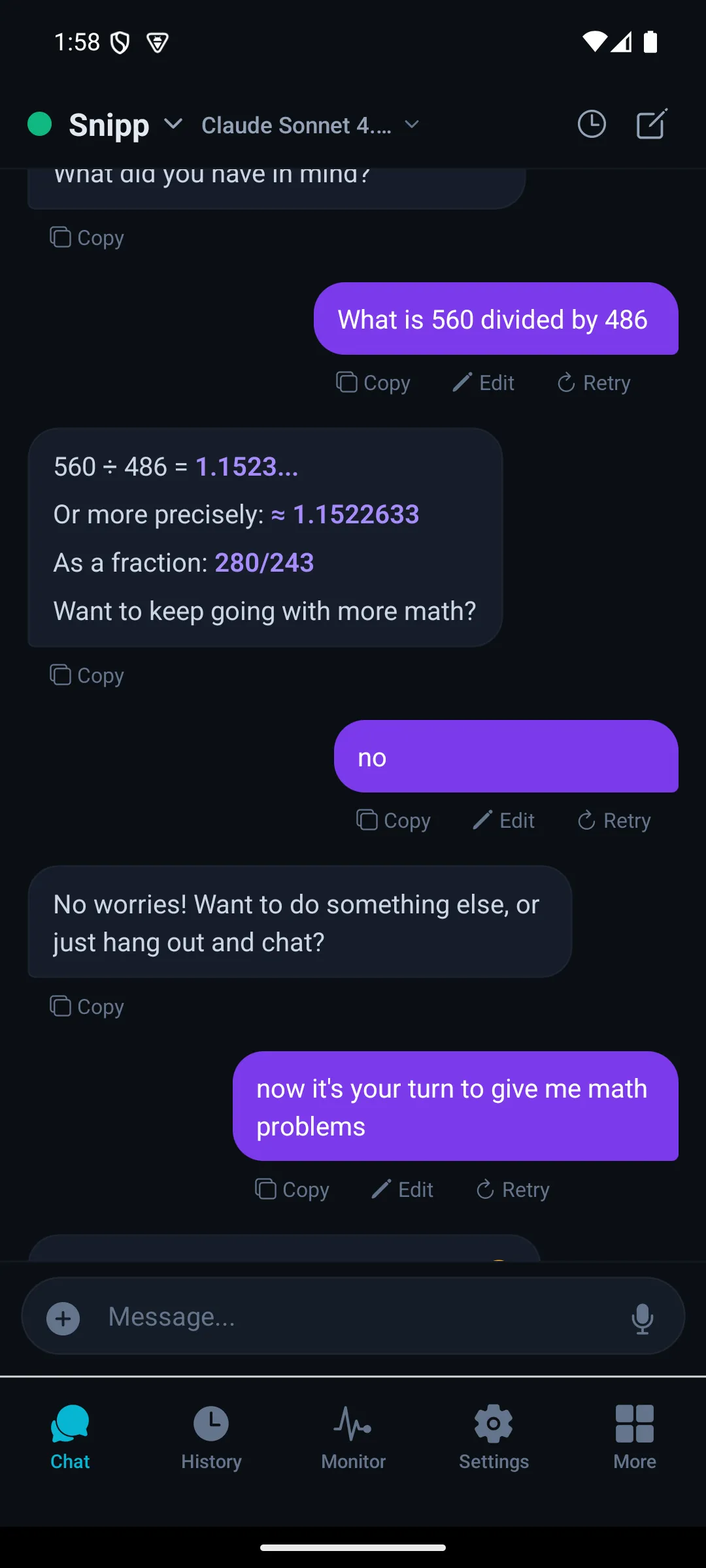
Overview
Multi-agent dashboard
Real-Time Streaming Intelligence
Server-Sent Events deliver token-by-token responses with live tool activity visualization — the same fidelity as the desktop client.
Token-by-Token Streaming
Real SSE streaming — not polling — delivers responses as they generate. Tool calls are visualized in real-time: see which tools the agent invokes, their inputs, and their results as they happen. Markdown rendering, code syntax highlighting, and file attachment support are all native.
Switch Agents Instantly
The app supports multiple configured agents with instant switching. Each agent maintains its own conversation history, personality, and tool configuration. The agent selector shows real-time status — which agents are active, their current model, and connection health.
Speak Naturally, Listen Clearly
Hold-to-talk voice input with multiple speech-to-text and text-to-speech providers — choose the voice that fits your workflow.
Hold-to-Talk Interaction
Press and hold to record, release to transcribe and send. The waveform animates in real-time as you speak, and haptic feedback confirms recording start and stop. No wake words, no always-on microphone — your voice input is entirely under your control.
Speech-to-Text
- Whisper — Privacy-first transcription via the local daemon. No audio leaves your network.
- Azure Speech — Enterprise-grade transcription with broad language support and real-time processing.
Text-to-Speech
- ElevenLabs — Ultra-realistic voice cloning and multilingual synthesis.
- OpenAI TTS — Natural-sounding voices with multiple personality options.
- Azure Speech — Enterprise TTS with neural voices and SSML control.
6-Layer Mobile Security Gate
From biometric unlock to rate limiting — every layer defends independently.
Biometric Authentication
Face ID, Touch ID, and Android fingerprint unlock gate every app launch. The app locks automatically after a configurable inactivity timeout. Biometric data never leaves the device's secure enclave — Snippbot verifies identity through the OS biometric API without ever touching your biometric template.
Device Fingerprinting
Each device generates a unique SHA-256 fingerprint from hardware characteristics — OS, model, manufacturer, and screen dimensions. Sessions are cryptographically bound to specific devices, so a stolen token cannot be used from a different phone. The fingerprint is verified on every session join and resume.
Iterated PIN Hashing
Fallback PIN authentication uses iterated salted SHA-256 with 1,000 rounds and a random 16-byte salt per PIN. Combined with a 5-attempt lockout and exponential backoff, brute-force attacks are computationally infeasible. PIN hashes are stored in the platform keychain — never in plaintext.
HTTPS Enforcement & Certificate Tracking
All production communication enforces HTTPS — HTTP connections are rejected outright, and the platform's TLS layer verifies the server certificate chain against trusted authorities. The expected server certificate hash is also captured at initial pairing; runtime enforcement of that pin (rejecting a mismatched certificate outright) is on the roadmap.
Token Lifecycle Management
Device tokens auto-renew for convenience but are capped at 5 renewal cycles. After the cap, an explicit refresh token exchange is required — limiting the blast radius of a compromised token. Session ownership validation ensures tokens match the originating device, and renewal counters reset only on explicit re-authentication.
Per-Endpoint Rate Limiting
Tiered rate limits protect every API endpoint. Authentication endpoints allow 10 requests/minute, security-critical endpoints (TOTP, approvals) allow 5/minute, and general endpoints allow 60/minute. Error messages are sanitized to prevent information leakage — internal details stay in server logs, never in API responses.
Offline-First, Sync-When-Ready
Local data persistence and background delta sync mean your agent's data is always available — even without connectivity.
Local Data Persistence
The app uses secure on-device storage for auth tokens, connection settings, and session state. Agent configurations and recent activity data persist locally so core features remain accessible between connectivity windows.
Background Delta Sync
When connectivity returns, only changes are synced — not full state. Per-device delta sync with data isolation ensures each device receives only its own conversation updates. Conflict resolution uses last-write-wins with device priority.
Home Screen Widgets
iOS WidgetKit and Android Glance widgets surface agent status, recent conversations, and quick actions directly on the home screen. Widgets update on a smart schedule and remain functional offline from locally cached data.
Continue Any Session, From Any Device
Three secure methods to transfer an active desktop session to your phone — without re-authenticating from scratch.
QR Transfer
Scan a QR code displayed on the desktop client to instantly bind the mobile device to the active session. The QR encodes a one-time transfer token with 60-second expiry. After scan, biometric confirmation is required on the mobile device.
TOTP Verification
Enter a time-based one-time password from your authenticator app. TOTP codes follow standard RFC 6238 with replay protection — each code can only be used once, even within its 30-second validity window.
Owner Approval
Request session access and wait for the desktop client to approve. The desktop shows the requesting device's fingerprint and platform. Approval is push-notification-driven with a configurable timeout.
Your Phone as an Agent Sensor
Node Device Mode turns your phone's camera, microphone, GPS, and sensors into tools your agent can invoke.
The agent asks, you decide
In Node Device Mode, your phone registers as a device node in the Snippbot network. The agent can request a photo, read sensor data, or capture audio through tool calls. All sensor access requires explicit user permission — the agent can ask, but only you can grant. Every capability is gated by the OS permission system and Snippbot's own permission model.
- Permission-gated — every sensor requires OS + app approval
- Real-time WebSocket — bidirectional command channel
- Biometric-gated — sensitive sensors require biometric confirmation
5 Channels, One Inbox
Manage Discord, Telegram, Slack, WhatsApp, and Teams connections — all from your phone.
Server & DM management
Bot and group control
Workspace integration
Business API support
Enterprise messaging
Configure channels, monitor message queues, and manage agent responses across all platforms. Push notifications alert you to high-priority messages with actionable buttons for quick replies.
Actionable Push Notifications
6 notification categories with context-aware actions — respond without opening the app.
Agent Messages
Task completions, error alerts, and new responses from your agents. Tap to jump directly into the conversation.
Channel Activity
Incoming messages across all connected messaging platforms. Reply directly from the notification with inline text input.
Security Alerts
Failed authentication attempts, new device connections, and trust changes. Critical alerts require immediate attention.
Session Transfers
Approval requests from devices attempting to join your sessions. Approve or deny with one tap, biometric-gated.
Monitoring
Token budget warnings, rate limit notifications, and system health alerts. Stay informed about resource consumption.
System
App updates, daemon connectivity changes, and maintenance notifications. Background sync status and error reporting.
Your agent will go where you go
Coming soon — Snippbot for iOS and Android will extend your AI agent beyond the desktop. Real-time streaming, voice interaction, biometric security, and offline access, all from your pocket. The app isn't available to download yet; follow the roadmap for availability.